Microsoft 365 Licensing Guide for Small Businesses | IT's UpTime

George Grubor

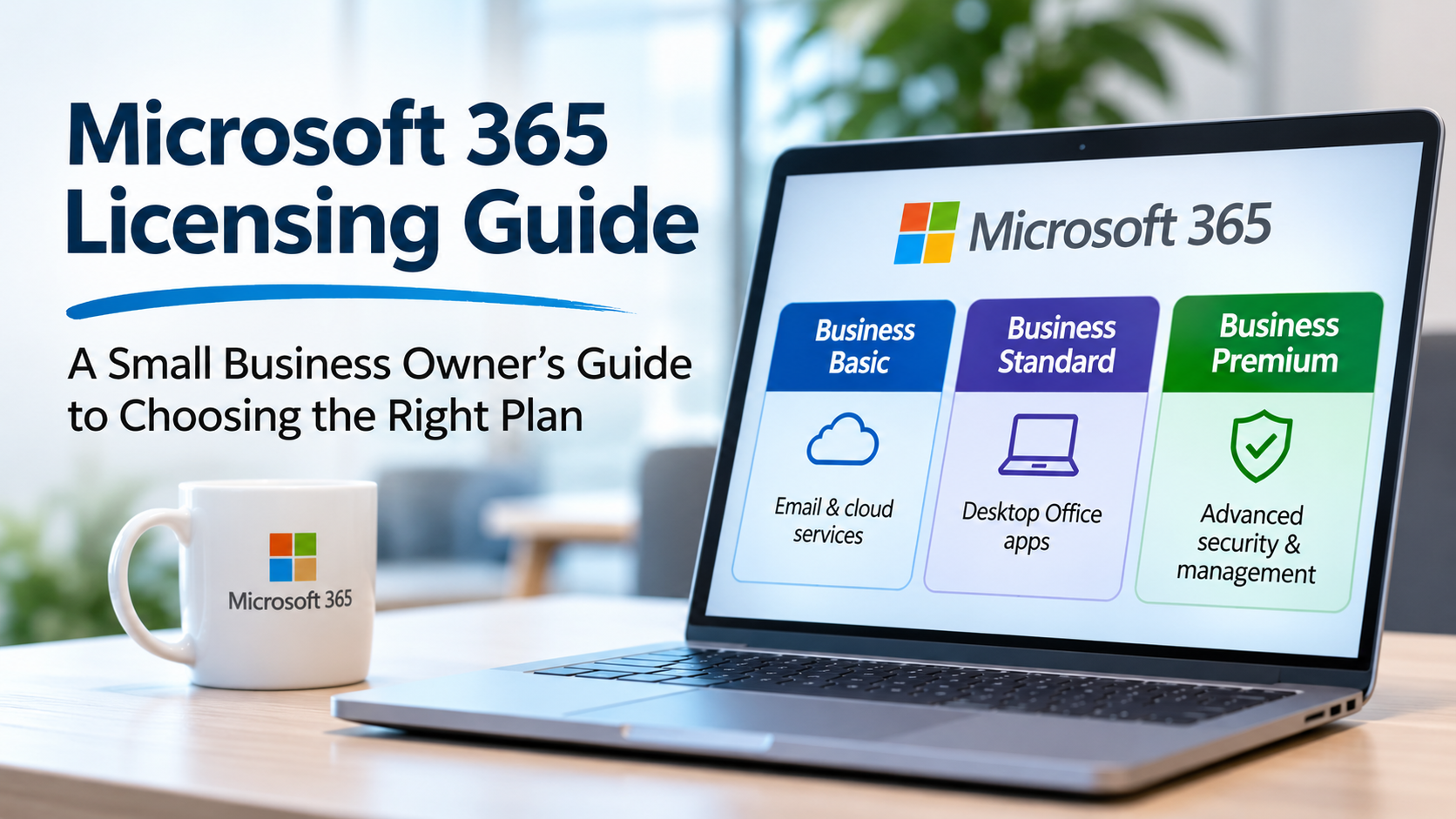
Microsoft 365 Licensing Explained: A Small Business Owner's Guide to Choosing the Right Plan
Business Basic, Business Standard, Business Premium... what's the difference? is your business paying for the right licenses?
If your business uses Outlook, Word, Excel, or Microsoft Teams, chances are you're already paying for Microsoft 365. But do you know exactly what you're getting for that monthly subscription?
For many small business owners, Microsoft 365 licensing is surprisingly confusing. There are multiple plans, different security features, optional add-ons, and enough overlapping functionality to make choosing the right combination difficult.
And choosing incorrectly can be expensive, either because you're paying for features you don't need or because you're missing important security protections.
At IT's UpTime, we help small businesses make sense of their technology investments. Here's our straightforward guide to understanding Microsoft 365 licensing and getting the most value from it.
Understanding the Three Main Microsoft 365 Business Plans
Microsoft 365 licensing doesn't have to be complicated. For most small businesses, the decision comes down to three plans, each offering a different combination of productivity tools, collaboration features, and cybersecurity protections.
Microsoft 365 Business Bacis - $7/user/month
Business Basic is designed for employees who primarily need professional email, cloud storage, and access to Microsoft Office applications through a web browser.
It includes Outlook email, OneDrive, SharePoint, and web-based versions of Word, Excel, and PowerPoint.
Best for: Frontline workers, part-time employees, and anyone who doesn't require installed desktop Office applications.
Microsoft 365 Business Standard — $14/user/month
Business Standard includes everything in Business Basic, plus the fully installed desktop versions of Outlook, Word, Excel, and PowerPoint.
It provides the familiar Office experience most employees use every day, including the ability to work on documents without an internet connection.
Best for: Administrative staff, accountants, sales teams, and employees who regularly work with Office applications.
Microsoft 365 Business Premium — $22/user/month
Business Premium includes everything in Business Standard, plus advanced cybersecurity and device management capabilities.
Features such as Microsoft Defender for Business, Microsoft Intune, and Microsoft Entra ID Conditional Access help protect business information, manage company devices, and reduce exposure to cybersecurity threats.
Best for: Businesses handling sensitive information, organizations with remote employees, and companies looking to strengthen security without purchasing numerous separate products.
How Do the Costs Compare?
Here's what licensing would cost a business with 20 employees, assuming everyone was assigned the same plan:
Business Basic
- Monthly licensing: $140
- Annual licensing: $1,680
Business Standard
- Monthly licensing: $280
- Annual licensing: $3,360
Business Premium
- Monthly licensing: $440
- Annual licensing: $5,280
The difference between Business Standard and Business Premium is just $8 per employee per month, or $96 annually.
For many organizations, the additional cybersecurity and management capabilities can justify that investment, particularly when they reduce the need for separately licensed security products.
Does Every Employee Need the Same Plan?
Not necessarily, and this is where businesses can often find opportunities to reduce unnecessary spending.
For example, an office employee who regularly uses Excel and Outlook might need Business Standard, while a production employee who primarily accesses email through a browser may only require Business Basic.
Meanwhile, employees using company-managed computers or handling sensitive business information may benefit from Business Premium's additional security capabilities.
It's important to remember that security requirements don't necessarily follow job titles. Employees with inexpensive productivity licenses may still require advanced security protections, which can sometimes be purchased separately.
The goal isn't to give everyone the cheapest license. It's to give each employee the right tools and security protections without paying for unnecessary features.
*Pricing is based on U.S. list prices for annual commitments with Microsoft Teams included, as referenced in November 2026. Microsoft also offers versions without Teams. Prices and licensing terms may change.
Microsoft 365 Business Basic: Best for Employees Who Don't Need Desktop Office
Business Basic is Microsoft's entry-level business subscription.
It includes professional email, web-based Office applications, OneDrive storage, and SharePoint collaboration.
However, it does not include the fully installed desktop versions of Word, Excel, or PowerPoint.
Who is it good for?
Business Basic may be a good fit for:
- Employees who primarily use email and a web browser.
- Warehouse or production personnel who don't regularly work with Office documents.
- Part-time employees with limited application requirements.
- Employees who work primarily from shared computers.
For example, a manufacturing company might have 30 production employees who only need email, schedules, and access to a few shared documents. Business Basic may cover their productivity requirements without the cost of Business Standard.
The catch: While Business Basic provides essential functionality, it doesn't include the advanced security and device management capabilities found in Business Premium.
Microsoft 365 Business Standard: The Familiar Office Experience
Business Standard adds the full desktop versions of Microsoft Office applications.
If your employees spend their days working in Outlook, Excel, Word, and PowerPoint, this is often the minimum productivity plan they'll need.
Who is it good for?
Business Standard is a natural fit for:
- Administrative and office employees.
- Accountants and bookkeepers.
- Sales and customer service teams.
- Employees who regularly work with complex Excel spreadsheets or Office documents.
For many organizations, Business Standard provides everything employees need to remain productive.
But there's an important distinction.
Business Standard is a productivity-focused license, not a comprehensive cybersecurity solution.
It includes foundational security features such as multifactor authentication and standard email filtering, but not the advanced identity, endpoint, and email protections bundled with Business Premium.
For organizations handling sensitive financial, customer, or business information, that distinction matters.
Microsoft 365 Business Premium: Where Productivity Meets Security
Business Premium is the plan we encourage many small business owners to evaluate carefully.
It includes the productivity features of Business Standard, but adds several security and management capabilities that can significantly improve how a business protects its information.
Some of the most valuable additions include:
1. Microsoft Defender for Business
Provides advanced protection for company computers against malware, ransomware, and other cybersecurity threats.
Unlike basic antivirus software, it includes capabilities to detect, investigate, and respond to suspicious activity.
2. Microsoft Defender for Office 365 Plan 1
Adds protections against malicious emails, phishing attempts, dangerous attachments, and suspicious links.
Since email continues to be a major entry point for cyberattacks, these capabilities can be particularly valuable.
3. Microsoft Intune
Allows your IT provider to centrally manage company computers and mobile devices.
For example, Intune can help enforce security settings, manage device encryption, deploy applications, and ensure computers meet your company's security requirements.
4. Microsoft Entra ID P1 and Conditional Access
This is one of the most valuable features for small business security.
Conditional Access allows your business to establish rules about how employees access company information.
For example, instead of simply allowing anyone with the correct password and authentication code to access company files, your organization can require that users connect from approved, properly secured devices.
These capabilities can significantly reduce the risks associated with stolen credentials and unauthorized access.
Is Business Premium worth the additional expense?
At current list pricing, Business Premium costs approximately $8 more per user per month than Business Standard.
For a company with 20 employees, that's an additional $160 per month, or $1,920 annually.
That additional investment provides access to security and device management tools that might otherwise require separate subscriptions.
However, purchasing Business Premium doesn't automatically make a business secure. The protections need to be properly configured, maintained, and monitored.
For companies already paying for third-party cybersecurity products, it's also important to evaluate which protections overlap and which provide additional value.
What About Microsoft 365 E3 and E5?
You may have also encountered Microsoft's Enterprise licensing plans, including E3 and E5.
These plans are designed for organizations requiring additional capabilities in areas such as enterprise security, compliance, information governance, and larger-scale management.
Despite the name, Enterprise licensing isn't exclusively for large corporations.
A small business with specific compliance, regulatory, or technical requirements may benefit from these plans or their associated add-ons.
However, most small businesses should evaluate the Business licensing options before assuming they need an Enterprise subscription.
Does Every Employee Need the Same License?
Absolutely not.
One of the most common licensing mistakes is assigning the same Microsoft 365 subscription to every employee, regardless of their responsibilities.
Consider a 25-person manufacturing company with a mix of office personnel, management, and production employees.
Some employees may need the complete desktop Office suite. Others might only need email and browser-based applications. Employees who handle sensitive information or use company-managed computers may require more advanced security controls.
The right licensing strategy considers both what employees need to do and what information they need to protect.
It's also important to remember that Microsoft licenses many security capabilities on a per-user basis. A business can't necessarily purchase a few Premium licenses and use their security benefits to cover everyone else.
A thoughtful combination of licenses can control costs without leaving gaps in security or compliance.
Five Common Microsoft 365 Licensing Mistakes
1. Paying for licenses that aren't being used
When employees leave, their Microsoft 365 licenses aren't necessarily removed automatically.
Without periodic reviews, businesses can end up paying for subscriptions that no longer serve an active employee.
2. Choosing licenses based solely on price
Saving a few dollars per employee might look appealing, but businesses also need to account for security, management, and operational requirements.
The cheapest subscription isn't always the lowest-cost solution over time.
3. Assuming Microsoft 365 includes everything needed for cybersecurity
Microsoft 365 provides useful security capabilities, but those capabilities vary significantly between plans.
Even Business Premium requires proper configuration, monitoring, and a broader security strategy.
4. Assuming OneDrive and SharePoint eliminate the need for backups
Microsoft 365 offers retention, recovery, and versioning capabilities, but these are not a substitute for a comprehensive backup and recovery strategy.
Businesses should evaluate independent Microsoft 365 backup solutions to protect important email and files against accidental deletion, malicious activity, and other data-loss scenarios.
5. Buying advanced features without actually using them
We've encountered businesses paying for advanced Microsoft licensing while important capabilities remain unconfigured.
Conditional Access, device compliance requirements, and advanced threat protection provide value when they're properly deployed, not simply because they're included on an invoice.
What About Microsoft Copilot?
Microsoft has also introduced AI capabilities throughout Microsoft 365, making licensing decisions even more complicated.
Some Microsoft 365 subscriptions include access to Copilot Chat, while advanced Microsoft 365 Copilot capabilities and deeper integration with business information may require additional licensing.
Before adding Copilot subscriptions for every employee, consider which employees will actually benefit from those features.
A small pilot program can help determine whether the productivity gains justify the expense.
As with cybersecurity tools, the goal should be measurable business value rather than simply purchasing the newest technology.
How to Tell Whether Your Business Has the Right Licenses
If you're unsure whether your current Microsoft 365 subscriptions make sense, start by asking a few straightforward questions:
- Are we paying for licenses assigned to former employees or unused accounts?
- Do all employees actually need installed desktop Office applications?
- Are we paying separately for security tools that overlap with Microsoft 365 features?
- Do we have appropriate protection against phishing, ransomware, and account compromise?
- Are company computers being managed and secured consistently?
- Are advanced security features included in our licenses actually configured?
- Do we have a reliable, independent backup of our Microsoft 365 information?
- Have we reviewed our licensing costs and requirements within the past year?
If you can't confidently answer these questions, it's probably time for a licensing review.
The Bottom Line: Microsoft 365 Licensing Should Match Your Business, Not the Other Way Around
Microsoft 365 is a powerful platform, but licensing shouldn't be a guessing game.
For some businesses, Business Basic is entirely sufficient for certain employees. Others need the desktop productivity applications included in Business Standard. And for many organizations, Business Premium offers valuable security and management features that deserve serious consideration.
The ideal solution isn't necessarily the cheapest or most expensive subscription.
It's the combination that provides your employees with the tools they need, protects the information your business depends on, and avoids unnecessary spending.
Not Sure If You're Getting Your Money's Worth from Microsoft 365?
At IT's UpTime, we help small businesses throughout Wisconsin make informed decisions about their Microsoft 365 environments.
We can review your existing subscriptions, identify unused or unnecessary licensing, evaluate your security configuration, and help you understand whether you're getting the functionality you're already paying for.
Whether you're trying to reduce unnecessary expenses or strengthen your cloud cybersecurity, our goal is to help your technology work better for your business.
Contact IT's UpTime to schedule a Microsoft 365 licensing and security review.